Application Overview
Transact is launched by opening a URL in any browser. The URL carries the account identifier, configuration name, and optional parameters that control what the agent sees, how the payment is processed, and where results are sent.
https://{envDomain}.transact.aiphoria.net?account={account}
- sandbox — global sandbox
- uk — production UK
Everything the application does — which fields appear, which PSP is called, how the agent correlates a call, and what happens after submission — is driven by a configuration stored against the account. The sections below walk through the application screens, explain the configuration structure, and list every input parameter.
1. Application Walkthrough
Authorisation
Before reaching the capture screens, an agent must be authorised. Transact supports two authorisation modes:
- Dynamic agent authorisation — If the
usernameparameter is supplied in the launch URL and the account is enabled for dynamic agent authorisation, the agent is authenticated automatically and taken straight to the application. No login screen is shown. - Login screen — If
usernameis not supplied, or the account is not enabled for dynamic agent authorisation, the agent is redirected to the login screen.
Login screens
When dynamic agent authorisation is not active, Transact shows a login form. The fields displayed depend on which parameters are already in the URL.
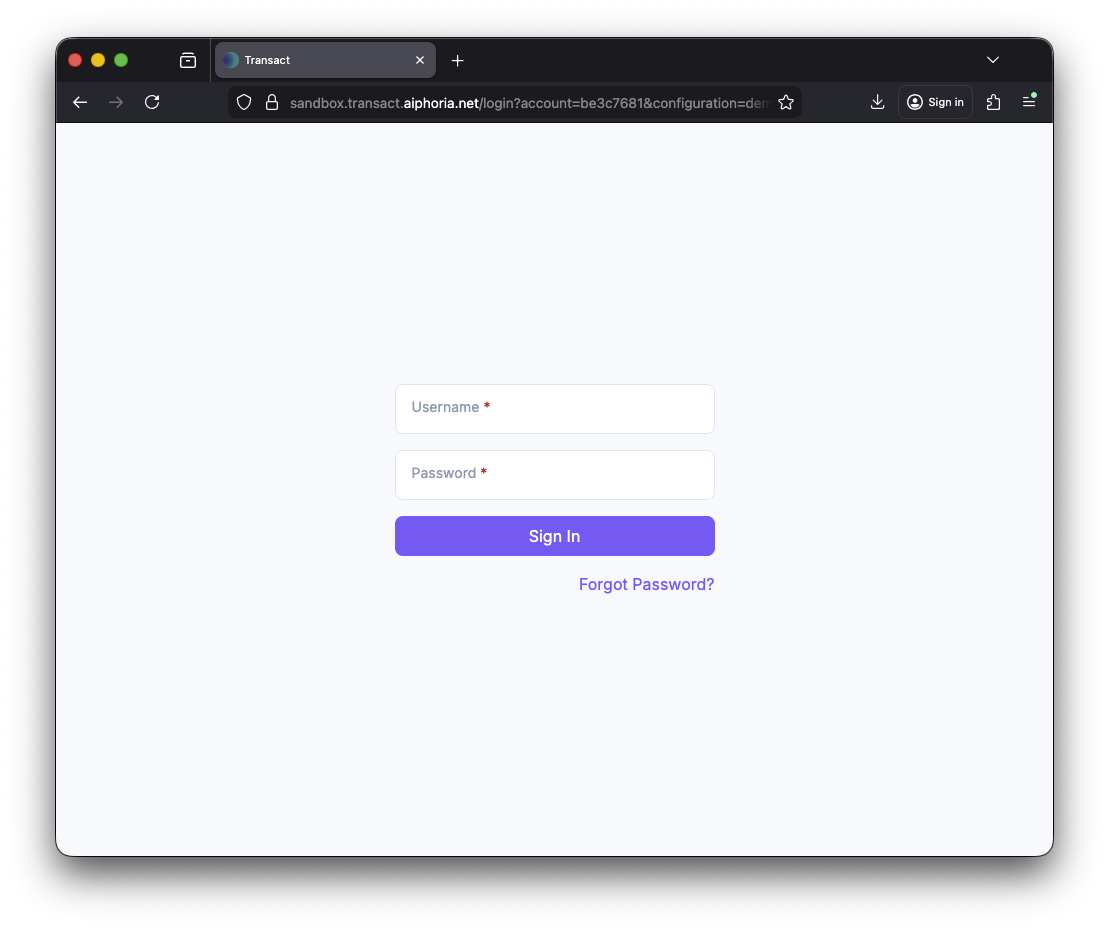
When the account parameter is included in the launch URL, the login form pre-fills the account and only asks for Username and Password.
Pay by Phone
Pay by Phone walkthrough
The agent correlates a live call, the customer enters card details via DTMF or speech, and the agent submits the payment.
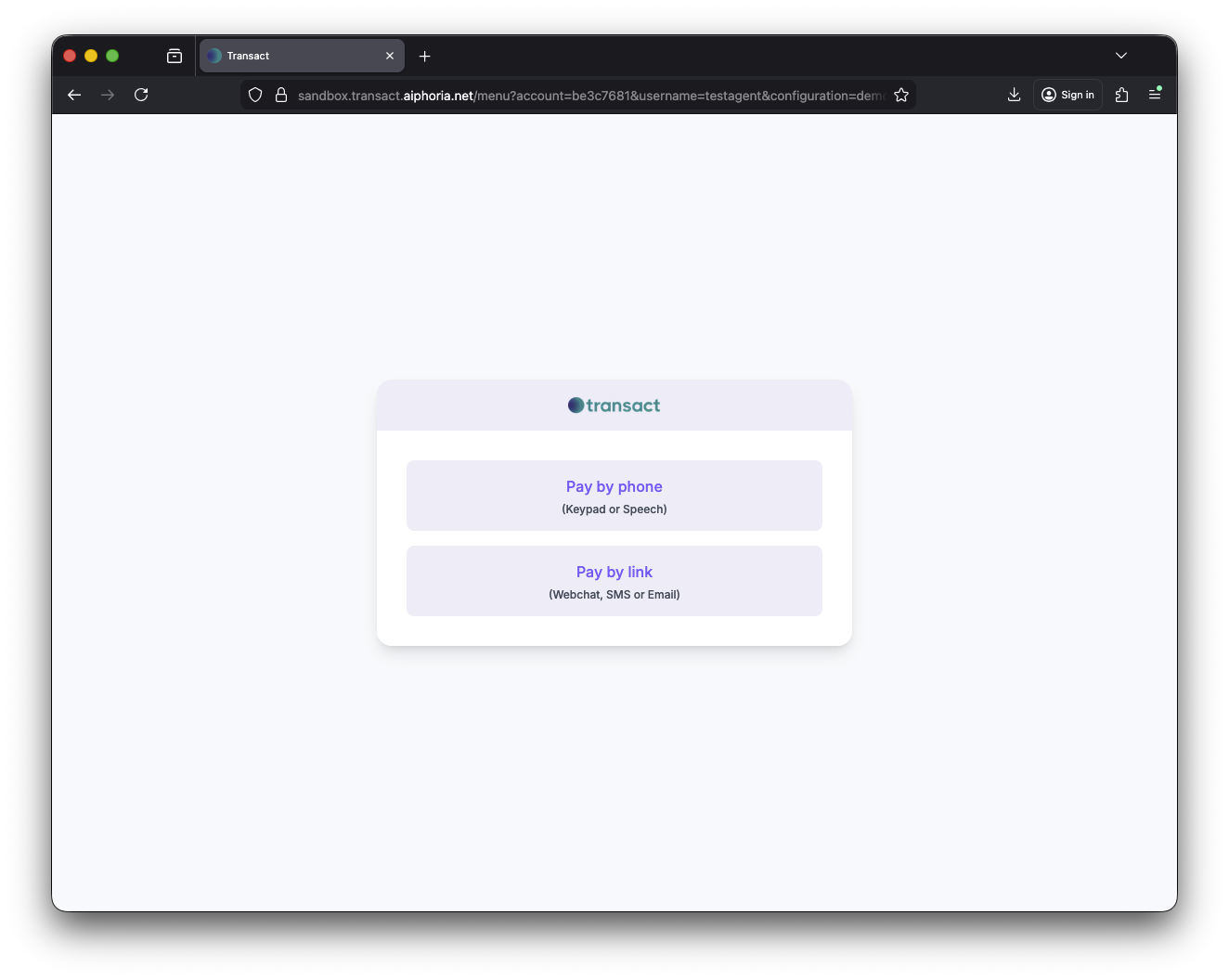
When bootstrap is enabled the agent lands on a menu offering Pay by Phone (Keypad or Speech) and Pay by Link (Webchat, SMS or Email). The configuration controls which options appear and which is the default.
Pay by Link (Digital)
Pay by Link walkthrough
The agent sends the customer a secure capture link. The customer enters card details on their own device while the agent monitors progress in real time.
When bootstrap is enabled the agent lands on a menu offering Pay by Phone (Keypad or Speech) and Pay by Link (Webchat, SMS or Email). The configuration controls which options appear and which is the default.
2. Configuration Overview and Options
Every Transact deployment stores one or more configurations as JSON documents against the account. The configuration name is passed in the launch URL via the configuration query parameter. If omitted, the account's default configuration is used.
A configuration is split into the following top-level sections:
Main
Controls the overall behaviour of the application.
| Key | Type | Description |
|---|---|---|
EnableBootstrap | boolean | Show the bootstrap menu on launch (Pay by Phone / Pay by Link). When false the application skips straight to capture. |
Bootstrap.CaptureApplicationOptions | array | Which capture channels are available, e.g. ["payByPhone", "payByLink"]. |
Bootstrap.DefaultCaptureApplication | string | The pre-selected channel when bootstrap loads. |
Bootstrap.BootstrapLogo | string | Path to a custom logo displayed on the bootstrap menu. |
SubmitPspRequest | boolean | Whether to send a payment request to a PSP on form submission. |
EnableDataPost | boolean | Whether to HTTP POST transaction data to a configured endpoint on completion. |
EnableRedirect | boolean | Whether to redirect the browser to a configured URL on completion. |
EnableManualCorrelation | boolean | Enable manual call-correlation (Keypad / Search). |
CardCaptureKeyType | string | Key type for the capture session, typically "GUID". |
ManualCorrelation.enableDtmfCorrelation | boolean | Allow DTMF keypad correlation. |
ManualCorrelation.supressionDigit | string | The digit used as a prefix/suffix for the correlation code, e.g. "#". |
ManualCorrelation.completionDigits | string | The sequence that signals the end of the correlation code, e.g. "##". |
ManualCorrelation.enableSearch | boolean | Allow searching for a live call by phone number. |
ManualCorrelation.searchCallStartDatetimeDeltaInMinutes | int | How far back (in minutes) to search for active calls. |
ManualCorrelation.searchPageSize | int | Number of results per page in the call search list. |
DefaultCurrencyCode | string | Fallback currency code when none is supplied at launch, e.g. "GBP". |
allowedCardTypes | array | Whitelist of accepted card schemes, e.g. [{"name":"visa"},{"name":"mastercard"}]. |
Theme.theme | string | Theme mode — "custom" to load an external theme JSON. |
Theme.themeConfigUrl | string | URL to the custom theme configuration file. |
Theme.default | string | Default appearance, "light" or "dark". |
Input
Controls how inbound parameters are interpreted.
| Key | Type | Description |
|---|---|---|
DecryptQueryString | boolean | Whether the query string is encrypted and needs decryption on arrival. |
defaults | object | Default values for parameters not supplied in the URL, e.g. {"currencyCode":"GBP","merchantId":"..."}. |
ParameterMap | object | Maps incoming parameter names to internal names, e.g. {"billingSurname":"billingLastName","amount":"paymentAmount"}. This allows callers to use their own naming conventions. |
Psp
Defines the payment service provider integration.
| Key | Type | Description |
|---|---|---|
requestType | string | The PSP operation: "authoriseAndSettle", "authoriseandsettlewithToken", "tokenise", etc. |
name | string | The PSP adapter to use, e.g. "BarclaycardFuse", "PayPoint", "vesta", "opayodirect". |
api.version | string | PSP API version, e.g. "v1". |
CardCapture
Defines the agent-side card capture form.
| Key | Type | Description |
|---|---|---|
validateLuhn | boolean | Perform a Luhn check on the PAN before submission. |
phoneAutoStartEnabled | boolean | Automatically begin DTMF/ASR capture when the form loads (skip manual start). |
phoneAutoStartMode | string | Auto-start mode: "DTMF" or "ASR". |
fields | array | Ordered list of fields on the capture form. Each field has a captureType, layout (width), label, editability and mandatory flag. |
Supported captureType values:
| captureType | Description |
|---|---|
capturePan | Secure PAN (card number) capture — agent sees only masked digits. |
captureExpiryDate | Secure expiry date capture. |
captureCsc | Secure CSC/CV2 capture. |
amount | Payment amount field — can be editable or locked via a parameter. |
freeText | Agent-editable text field bound to a parameter using {parameterName} syntax. |
comboBox | Drop-down select field with predefined options. |
tokeniseCard | Toggle for customer consent to tokenise/save the card. |
RemoteCardCapture
Defines the customer-facing Pay by Link experience.
| Key | Type | Description |
|---|---|---|
CustomerUrl | string | Base URL for the customer capture page. A unique key is appended. |
ValidateLuhn | boolean | Luhn validation on the customer page. |
AllowSms | boolean | Allow sending the link via SMS. |
AllowEmail | boolean | Allow sending the link via Email. |
AllowCopy | boolean | Allow copying the link to clipboard. |
SmsProvider | string | SMS delivery provider, e.g. "Azure". |
SmsSenderId | string | The sender name shown on the SMS. |
SmsMessageText | string | Custom SMS body. Use {{URL}} and {{CUSTOMERSHORTCODE}} as placeholders. |
CopyMessageText | string | Custom message text when the link is copied. Supports {{URL}} and {{CUSTOMERSHORTCODE}}. |
displayKeyValues | object | Key/value pairs from the session to display to the customer, e.g. {"amount":"{amount}"}. |
Resources.ThemeSourceUrl | string | URL to the customer page theme configuration. |
Resources.LogoSourceUrl | string | URL to the customer page logo. |
Fields | array | Customer-side capture fields: typedPan, typedExpiryDate, typedCsc. |
Output
Defines what happens after the form is submitted.
| Key | Type | Description |
|---|---|---|
completionForm | object | Defines success, error and cancel screens shown to the agent. Each contains fields (key/value pairs using {parameter} syntax) and text (title, message, note). |
redirect | object | If redirect is enabled, defines the HTTP verb ("post" or "get") and fields to include. Field values support {parameter} syntax and inline transformation functions. |
datapost | object | If datapost is enabled, defines the HTTP verb ("post" or "get"), OriginType ("fromBrowser" or "fromServer"), contentType ("form-urlencoded" or "json") and fields to include. Field values support {parameter} syntax and inline transformation functions. |
3. Application Inputs from Known Parameters
Parameters are passed to Transact via the launch URL query string. They control authorisation, call correlation and capture data. The table below lists all known parameters.
Authorization
| Parameter | Mandatory | Type | Default | Description |
|---|---|---|---|---|
username | No | string | — | If supplied, dynamic authorisation is attempted. If the account is not set up for dynamic authorisation — or this is omitted — the login screen is shown. |
Core
| Parameter | Mandatory | Type | Default | Description |
|---|---|---|---|---|
account | Yes | string | — | The short account GUID created during provisioning. |
configuration | No | string | "default" | The Transact configuration to launch. If omitted, the account's default configuration is used. |
cardCaptureSessionKey | No | string | Auto-generated GUID | The key under which captured card details are stored. If not provided, one is generated automatically. |
allowedCardTypes | No | array of objects | — | Whitelist of allowed card types, e.g. [{ name: 'visa', credit: true, debit: true }]. |
tokeniseCardOption | No | enum | "hidden" | Controls the tokenise-card checkbox visibility. Options: "hiddenChecked", "hidden", "visibleChecked", "visible", "disabledChecked", "disabled". |
redirectUrl | No | string | — | Single address for all redirect requests. |
redirectOnSuccessUrl | No | string | — | Redirect address for successful payments. |
redirectOnCancelUrl | No | string | — | Redirect address for cancelled payments. |
redirectOnErrorUrl | No | string | — | Redirect address for failed payments. |
datapostUrl | No | string | — | Single address for all datapost requests. |
datapostOnSuccessUrl | No | string | — | Datapost address for successful payments. |
datapostOnCancelUrl | No | string | — | Datapost address for cancelled payments. |
datapostOnErrorUrl | No | string | — | Datapost address for failed payments. |
Correlation
These parameters enable automatic call correlation — bypassing the manual Keypad/Search step.
| Parameter | Mandatory | Type | Default | Description |
|---|---|---|---|---|
dialogId | No | string | — | Correlate using the call's dialog ID. |
sipCallId | No | string | — | Correlate using the call's SIP Call-ID. |
externalCorrelationId | No | string | — | Correlate using the value sent in the X-EAIP-EXTERNALCORRELATIONID SIP header. |
fromNumber | No | string | — | Correlate using the call's originating number. |
toNumber | No | string | — | Correlate using the call's destination number. |
telephoneNumber | No | string | — | Correlate using either the call's originating or destination number. |
Capture / Payment
These parameters pre-populate the capture form and are forwarded to the PSP.
| Parameter | Mandatory | Type | Default | Description |
|---|---|---|---|---|
amount | No | int | 0 | Payment amount in atoms (smallest currency unit) to send to the PSP. |
currencyCode | No | string | "GBP" | Currency code sent to the PSP. |
cardHolderName | No | string | — | Name of the card holder sent to the PSP. |
merchantId | No | string | — | Key specifying which merchant credentials to apply to the PSP request. |
cardToken | No | string | — | A card token to send to the PSP (for tokenised repeat payments). |
addressNumerics | No | string | — | Numeric values from the address for AVS checks. |
postCodeNumerics | No | string | — | Numeric values from the postcode for AVS checks. |
orderId | No | string | — | Order ID sent to the PSP. |
customerReference | No | string | — | Customer reference sent to the PSP. |
transactionReference | No | string | — | Transaction reference sent to the PSP. |
description | No | string | — | Description sent to the PSP. |
billingForename | No | string | — | Bill payer's forename. |
billingSurname | No | string | — | Bill payer's surname. |
billingAddress1 | No | string | — | First line of the billing address. |
billingAddress2 | No | string | — | Second line of the billing address. |
billingCity | No | string | — | Billing city. |
billingCounty | No | string | — | Billing county. |
billingCountry | No | string | — | Billing country. |
billingPostCode | No | string | — | Billing postcode. |
billingEmailAddress | No | string | — | Bill payer's email address. |
billingTelephoneNumber | No | string | — | Bill payer's phone number. |
If your calling system uses different parameter names, the configuration's Input.ParameterMap can map them transparently. For example, {"billingSurname":"billingLastName","amount":"paymentAmount"} lets you send billingLastName and paymentAmount instead of the standard names above.